
Choosing the right tactical headset begins with knowing your mission. You should pick a headset that fits what you need to do. Look for features that keep you safe and help you talk clearly. Make sure the headset works well with your other tools. Try out tactical headsets in real situations before picking one. See if the headset is tough, comfortable, and fits with your gear. Always think about both the details and how it works in real life.
Key Takeaways
- Know what your mission needs. Pick a headset that matches your tasks. This helps you talk clearly and stay safe.
- Try headsets in real-life situations. This lets you see how they work when things get hard and with your gear.
- Find headsets that are strong and can handle tough weather. A tough headset will last longer when you use it outside.
- Make sure the headset is comfortable and fits well. If it fits right, you will not get tired and can pay attention to your mission.
- See if the headset works with your gear. Make sure it connects to your helmet and radio so you can talk easily.
Define Mission Needs
Picking the right tactical headset means knowing what your mission needs. You need to choose a headset with features that fit your tasks. This helps you get ready for your mission and makes sure your gear works well.

Operational Environment
Think about where you will use your tactical headset. The place you use it can change how it works. Hot or cold weather, wet air, and dust can cause problems if your headset is not made for them.
Tip: Always look at the specs for temperature, moisture, and dust before you buy.
Here is a table that shows how the environment can change how your headset works:
| Factor | Impact on Headset Performance |
|---|---|
| Temperature Tolerance | Headsets must work well from -15°C to +70°C. |
| Moisture Resistance | Weatherproofing is important for wet places and helps your headset last longer. |
| Dust Resistance | Dust-resistant headsets do not break in dusty places. |
You should pick headsets that pass tests for heat, wetness, and dust. This helps you be ready for any place you go.
Communication Requirements
Good talking is very important for your mission. You need to think about how you will talk to your team. Some missions need you to hear soft sounds. Other missions need you to block loud noises.
Here is a table that shows different missions and what headsets they need:
| Mission Profile | Description |
|---|---|
| Comfort Mode | Good for loud places, keeps your ears safe in helicopters. |
| Conversation Mode | Makes it easy to talk by lowering background noise. |
| Patrol Mode | Helps you hear outside but makes footsteps quieter. |
| Observation Mode | Makes quiet sounds louder, good for snipers or watching. |
| Natural Interactive Behavior | Lets you talk normally in loud places without using the radio. |
Pick a headset that fits how you need to talk. If you need to talk in a helicopter, get one that blocks noise. If you need to hear small sounds, get one that makes them louder.
Equipment Integration
Your headset should work with your other gear. Check if it fits with your helmet, radio, and other things you use. Good gear fit helps you move better and stay focused.
- Make sure your headset connects to your radio.
- See if it fits under or on your helmet.
- Find headsets that let you add or take off parts for different jobs.
Note: Try your headset with all your gear so you do not have problems later.
When you pick a tactical headset that fits your mission, you talk better, feel better, and get ready for your job.
Tactical Headset Durability

Build Quality
You need a tactical headset that can handle rough use. Good build quality helps the headset last longer. It works well when you need it most. Look for strong materials like reinforced plastics or metal frames. These materials protect the headset from drops and bumps. Check the hinges and joints. They should feel firm and not loose. High quality headsets use thick cables and sturdy connectors. This stops problems in the field.
Tip: Test the headset by bending the headband and twisting the cables. This helps you see if the quality is good enough for you.
Environmental Resistance
Your tactical headset must work in all kinds of weather. It needs to protect against water, dust, and electrical interference. Many headsets follow strict standards to show their quality and durability. Here is a table with some important standards:
| Standard | Description |
|---|---|
| MIL-STD-810G | Makes sure the headset works in tough conditions. |
| MIL-STD-416 | Gives shielding from EMI/RFI and meets military standards. |
| IP67 | Shows water resistance and protects against water immersion. |
| CE | Means the headset follows health, safety, and environmental rules. |
| RoHS | Stops the use of dangerous materials in electronics. |
| FCC | Makes sure the headset meets Federal Communications Commission rules. |
If you see these marks, the headset protects against water, dust, and bad signals. This makes the headset more reliable in the field.
Impact Protection
You face many dangers during missions. Your tactical headset should protect you from sudden impacts. Look for headsets with padded ear cups and shock-absorbing frames. These features keep your ears and headset safe. Some models have extra layers for side and top protection. This helps the headset keep working after drops or hits.
- Pick a headset with tested impact protection.
- Make sure the ear seals stay tight after a fall.
- Look for certifications that prove the headset’s quality.
A headset with strong protection keeps you safe and helps your gear last longer.
Communication & Hearing Protection
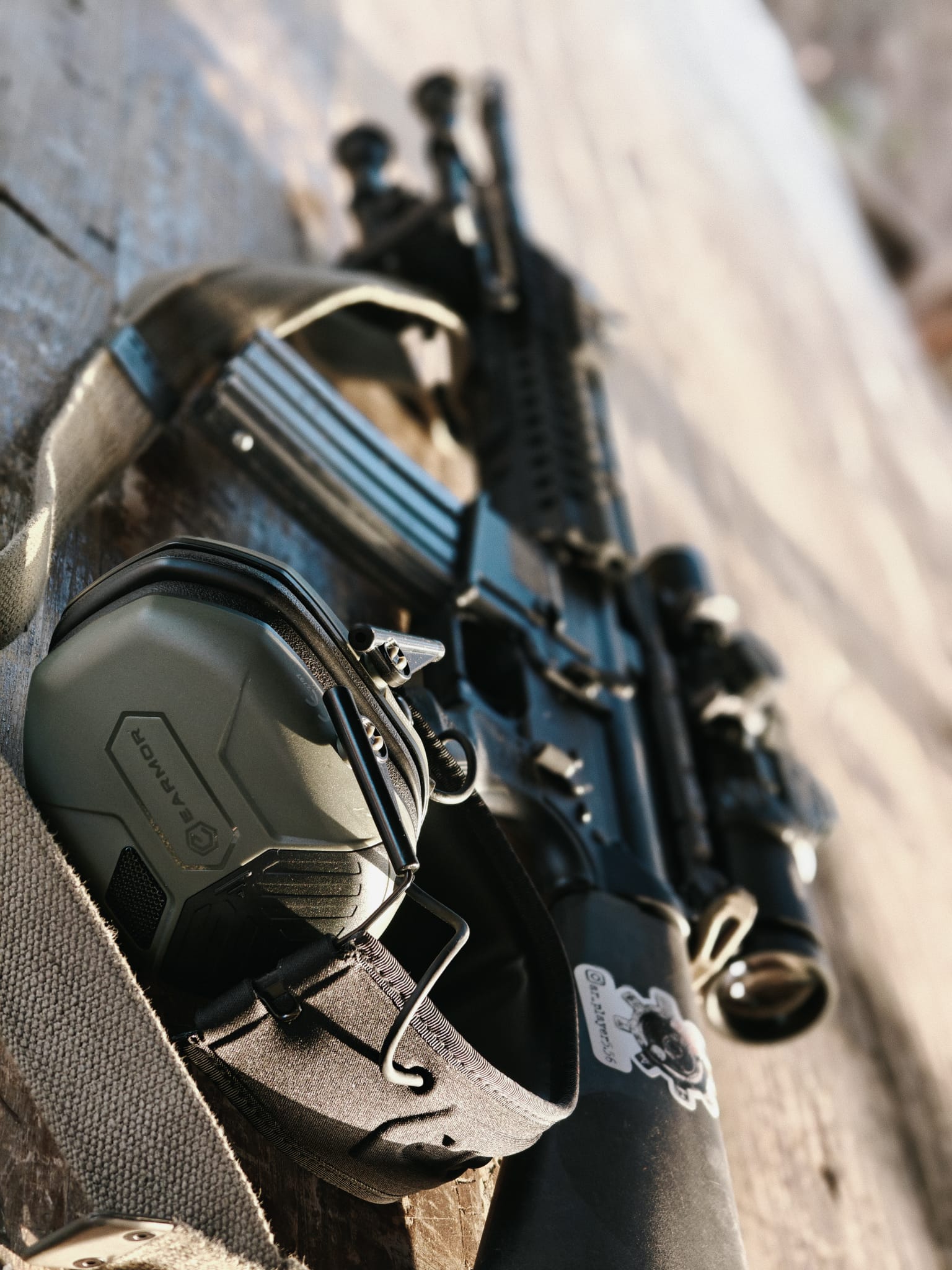
You need to talk clearly and protect your ears when picking a tactical headset. These things help you stay safe and work well with your team. Good talking lets you share news fast. Good ear protection keeps loud sounds from hurting you. Always check how well a headset blocks noise, how clear the sound is, and how much it protects your ears.
Noise Cancellation
Many tactical headsets use active noise cancellation. This blocks loud background sounds like engines or gunfire. You can focus on messages without getting distracted. Some headsets have special microphones that hear outside noise and stop it before it reaches your ears. This helps you hear your team even in noisy places.
Here is a table that shows how much noise different headsets block:
Pick a headset with a high noise reduction level. This keeps your hearing safe and helps you do better in loud places. High noise reduction also helps you hear only what you need.
Audio Clarity
Good sound quality is very important for talking. You need to hear every word, even when things get busy. Clear talking helps your team avoid mistakes. If the sound is not clear, you might miss something important. This can cause problems during your mission.
- Clear sound is needed for sharing tactical information.
- In stressful places, small sound problems can cause big trouble.
- Good headsets block out background noise so messages stay clear.
Test the sound of your headset before using it in the field. Make sure you can hear both quiet and loud sounds. This helps you stay aware and do your best.
Hearing Protection Level
Hearing protection is more than just comfort. It keeps your ears safe from loud noises during missions. Check the noise reduction rating of your headset. This number tells you how much sound the headset blocks. Military rules say what levels are good for different ear protection.
Here is a table with common hearing protection levels:
| Type of Ear Protection | Noise Reduction Rating (dB) |
|---|---|
| Disposable foam ear plugs | 25–35 |
| Push-to-fit ear plugs | 12–35 |
| Reusable ear plugs | 12–35 |
| Over-ear muffs | 15–35 |
Pick a headset that meets or beats these ratings. This helps you avoid hearing loss and stay alert. Good hearing protection also lets you stay aware of what is happening. Some headsets use smart tech to block loud sounds but let you hear quiet ones. This means you stay safe and know what is going on.
When you pick a tactical headset, balance talking, ear protection, and how well it works. This helps you do your job better and stay safe on any mission.
Compatibility & Interoperability
Helmet Integration
You need a headset that works with your helmet. Many helmet-mounted headsets help you keep a good fit. They stop the headset from getting caught on things. The microphone stays close to your face. This helps you talk clearly and keeps you safe. Companies like Ops-Core and Silynx Communications make headsets for modern helmets. More headsets now work with different soldier systems. The ComCentr2 tactical communications headset has a digital design. It also has plug-and-play features. This makes it easy to use with new helmets. You can also change how your headset is set up.
Tip: Always check if your headset fits your helmet before your mission. Try it on to see if it feels secure and comfortable.
Radio System Support
Your headset must connect to your radio system. Radios help you talk to your team and share news. Look for headsets that work with many radio models. Some headsets use adapters or cables to connect to radios. This lets you switch radios without changing your headset. You should test the connection to make sure you hear and speak well.
| Radio Model | Supported Headset Features |
|---|---|
| PRC-152 | Push-to-talk, noise cancellation |
| Motorola XTS5000 | Modular cables, clear audio |
| Harris RF-7800 | Digital interface, secure signal |
Modular Design
A modular headset gives you more choices. You can add or take off parts for your mission. For example, you might need a boom microphone in loud places. You might want ear cups for more protection. Modular designs let you change your headset fast. This helps you get ready for new jobs or places. You save time and stay prepared.
Note: Modular headsets help you upgrade or fix parts without buying a new headset.
Picking a tactical headset with strong compatibility and interoperability helps you work better with your gear. You stay connected, comfortable, and ready for your mission.
Comfort & Fit
Ergonomics
You need a tactical headset that feels comfortable. Ergonomics are important because you wear it for hours. A smart design stops pain and helps you focus. Many people like features that lower pressure on your head and neck. Some headsets are very light, weighing only 47 grams. This helps you not feel tired. Others have shapes that fit under helmets and glasses without trouble.
Here is a table with ergonomic features users like:
| Feature | Description |
|---|---|
| Ultra-Lightweight Design | The X7 weighs just 47 grams. It helps your head and neck feel less tired during long missions. |
| Streamlined Fit | It fits snugly under helmets and glasses. This lowers bulk and stops problems. |
| Customizable Fit System | INVISIO EarWings™ and ear tips let you change the fit for comfort. |
| Natural Hear-Through Functionality | You can hear all around you and still protect your ears. |
Adjustable Features
Look for adjustable features in your headset. These help you get the best fit for your head. Many headsets have custom-fit options like ear tips or headbands. Some let you move the microphone or ear cups. This makes it easier to use with other gear. Adjustable parts stop pressure points and keep you comfortable.
Tip: Try the adjustments before your mission. Make sure the headset stays put when you move.
Long-Term Wear
Long missions can make your body tired. You need comfort that lasts all day. A good fit stops sore spots and headaches. Soft padding and light materials help you wear it longer. Breathable ear cups stop sweat from building up. When picking a headset, think about how it feels after hours. You want to stay alert and ready, not bothered by discomfort.
Power & Battery
Power Independence
You need a headset that works without charging. Many tactical headsets use AA batteries. These batteries last a long time in the field. For example, the Power-Time DF-8R FAST runs over 200 hours with two AA batteries. You can carry extra batteries in your bag. This helps you stay ready for long missions. You do not need to find a power outlet. AA batteries are easy to replace and find almost anywhere.
Tip: Always bring spare batteries before your mission. This keeps your headset working when you need it most.
Battery Life
Battery life is important in faraway places. Some headsets last days without new batteries. Others need charging after a few hours. Check battery life before you buy a headset. Here is a table showing how long top tactical headsets last:
| Tactical Headset Model | Battery Life (Continuous Use) |
|---|---|
| Sarkar Warcom5 Tactical Headset | Over 200 hours |
| Peltor Tactical Headset (User Report) | Approximately 18-20 hours |
| Unnamed Model (MCCR Review) | About 200 hours |
| Another Model (MCCR Review) | Approximately 350 hours, with power-saving feature |
Some models last much longer than others. Pick a headset that matches your mission time. Longer battery life means fewer stops.
Charging Options
Charging options help you stay ready. Some headsets use USB charging. Others use replaceable batteries. Solar chargers can help in the field. Quick charging lets you get back to work fast. Check if your headset supports fast charging or has a backup battery slot. This gives you more ways to keep your headset powered.
- USB charging works well in cars.
- Solar chargers help in faraway places.
- Backup battery slots let you change batteries fast.
Pick a headset with charging options that fit your mission. You stay ready and avoid losing power.
Advanced Features
Ambient Sound Enhancement
You need to know what is happening around you. Ambient sound enhancement helps you hear important sounds. It blocks dangerous noise so you stay safe. Many tactical headsets let you change how much you hear. You can pick from five sound levels. There are four listening modes to choose from. This helps you match your hearing to your mission. Earplug modes keep audio clear in loud places. You can hear commands and movement easily. You also notice environmental cues without missing anything.
| Feature | Description |
|---|---|
| Hearing Protection System | Cuts harmful noise but keeps you aware of your surroundings. |
| Sound Level Adjustment | Lets you pick from five sound levels and four listening modes. |
| Earplug Modes | Keeps sound clear and helps you talk in noisy places. |
| Critical Sound Awareness | Helps you notice commands, movement, and environmental cues. |
Pulse noise reduction makes loud noises safer for your ears. Intelligent gain features make quiet sounds louder. You stay alert and can talk clearly.
Wireless vs Wired
You need to pick between wireless and wired headsets. Wired headphones usually sound better. They send audio through a cable. You do not need to charge them. You can use them as long as you want. Wireless headphones use Bluetooth. They let you move around more. They work with devices that do not have headphone ports. You need to charge them. Sometimes the sound quality is not as good.
| Feature | Wired Headphones | Wireless Headphones |
|---|---|---|
| Sound Quality | Usually better; sends sound directly. | Sometimes compressed; quality is getting better. |
| Power & Battery Life | No battery needed; use anytime. | Needs charging; use for a limited time. |
| Portability & Convenience | Less mobile because of cables; easy to use. | More mobile, no cables; needs pairing. |
| Reliability | Very reliable, no connection problems. | Can have connection issues or interference. |
- Wireless headsets let you move freely.
- Wired headsets give you steady sound and unlimited use.
Signal Security
You need to keep your messages safe. Tactical headsets use strong encryption like AES-256. This protects your voice and data. The system lets you manage keys for security. Secure Digital Voice (SDV) uses encryption for both data and voice. You can trust your headset to keep your messages private.
Tip: Always check for encryption before your mission. Secure communication keeps your team safe.
Testing & Evaluation
Real-World Scenarios
You should always test your headset in real-world situations before you buy it. Try using it during training or practice missions. This helps you see how the headset works when you move, sweat, or face loud noises. You can check if the controls are easy to use with gloves. You can also see if the headset stays comfortable after many hours. Testing in real life shows you if the headset fits your needs.
Tip: Use your headset with all your gear. This helps you find problems before your mission starts.
User Feedback
Listening to other users helps you make a smart choice. Many military and law enforcement personnel share their thoughts about headsets. They often mention:
- Dependability and robustness in challenging settings.
- Exceptional sound quality and noise reduction for clear communication.
- Comfortable gel earcups for prolonged use.
You can ask teammates or read reviews online. This gives you real opinions from people who use the same gear.
Final Checklist
A checklist helps you compare different models. You can use it to make sure you do not miss anything important. Here is a simple checklist for choosing a tactical headset:
| Feature | Yes/No |
|---|---|
| Fits with helmet | |
| Works with your radio | |
| Good noise cancellation | |
| Comfortable for long use | |
| Long battery life | |
| Easy to adjust | |
| Durable in tough weather |
Check each box as you test the headset. This helps you pick the best one for your mission.
You need to think about your mission, how strong the headset is, how well you can talk, if it works with your gear, how it feels, battery life, and testing before picking a tactical headset. Trying the headset in real situations shows what works best in hard places.
- Military teams hear loud sounds, so picking the right features keeps your ears safe.
- A checklist helps you follow rules, change for new jobs, and spend less money later.
Always remember, the right headset helps you stay safe and ready for any mission.
FAQ
What is the most important feature in a tactical headset?
You need clear communication and strong hearing protection. These features help you stay safe and work well with your team. Always check noise cancellation and audio clarity before you buy.
How do I know if my headset fits with my helmet?
You should try the headset with your helmet before your mission. Look for models that say “helmet compatible.” Ask your supplier for a fit test or check user reviews.
Can I use regular batteries in my tactical headset?
Most tactical headsets use AA or AAA batteries. You can use regular batteries, but check the manual for battery type. Always carry spare batteries for long missions.
How do I clean my tactical headset?
You should use a soft cloth and mild soap. Avoid water near the electronics. Clean ear cups and headbands after each mission. This keeps your headset working and comfortable.
What should I do if my headset stops working during a mission?
Check the battery first. Make sure all cables connect tightly. If the headset still does not work, switch to backup communication. Report the issue to your team after the mission.